

 stemplr
The workday. In one flow.
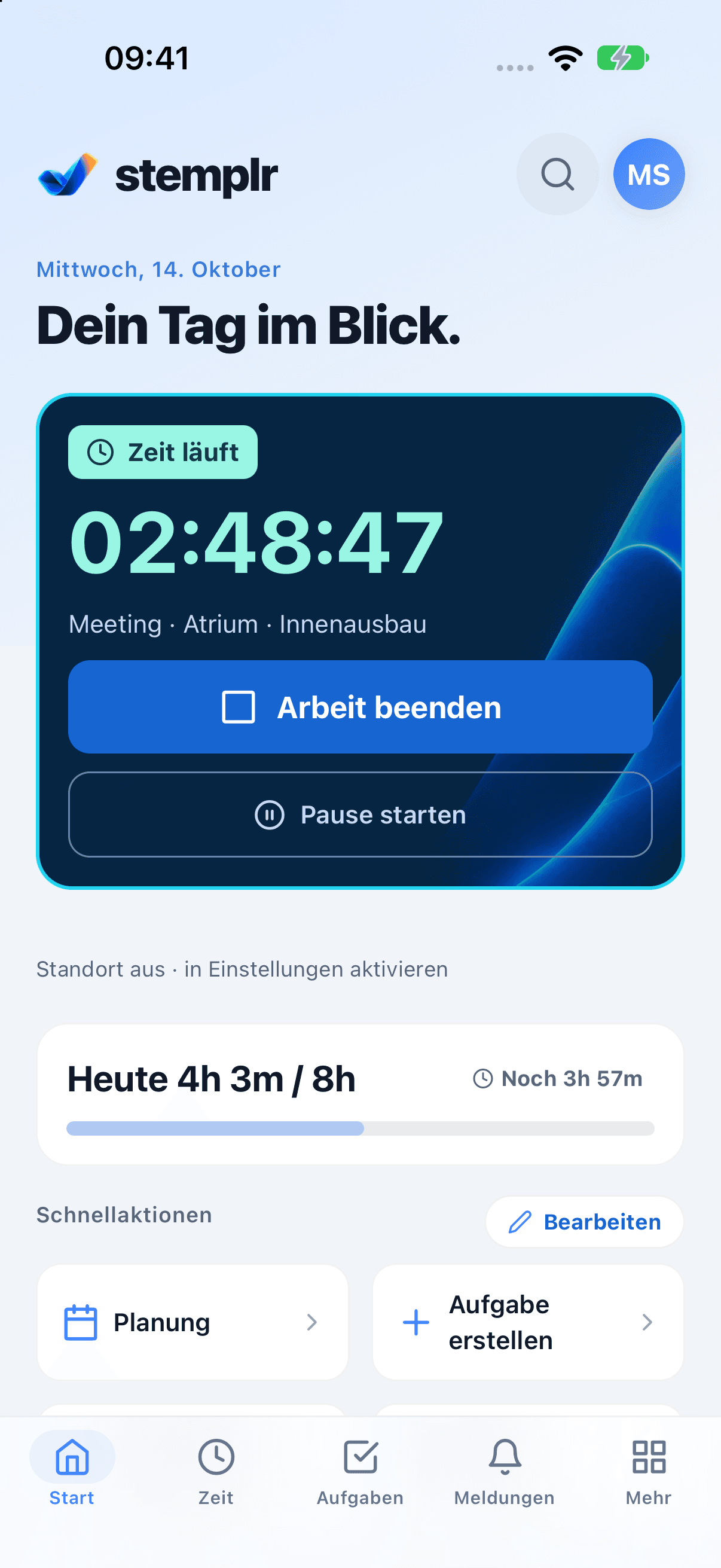
Track time. Plan assignments. On the web, in the app and at a shared kiosk.
- Time & breaks
- Assignments & tasks
- Travel & expenses
The approach
From the first assignment to the end of the day.
- 01
Track time
Clock in at the kiosk with employee number and PIN, in the app or on the web.
- 02
Plan assignments
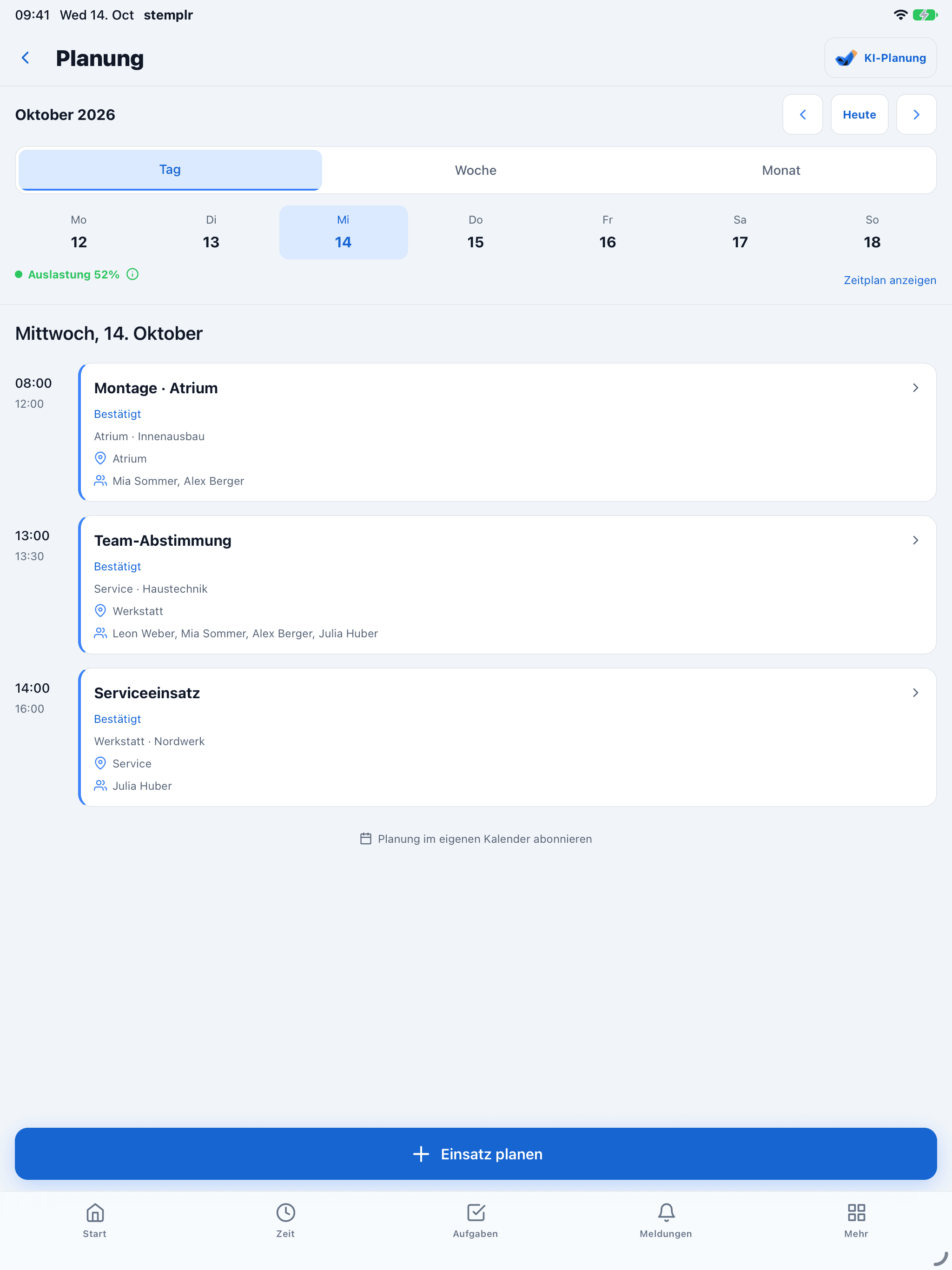
Plan assignments and tasks across the team – responsibilities are visible at once.
- 03
Settle & hand over
Record journeys and expenses, review them and export hours as Excel or PDF.
Inside the product
Features That Count.
For workshops, trades and teams: from a shared tablet to mobile tracking and reporting.
Kiosk Mode
Shared-tablet solution for workshops without dedicated devices per employee.
Automatic Export
One-click export for payroll and accounting.
Compliance Support
Configurable privacy, working-time, and documentation features.
Remote-Ready
Mobile app for field service, home office, and remote teams.
Project Assignment
Don't just track time – assign it directly to projects or orders.
Real-Time Reports
See instantly who's working where on which project.
Time tracking
From the first tap to the final break.
Working time belongs where work happens. stemplr connects tracking on the web, in the mobile app and at a shared kiosk with an overview of the working day.
- Time and breaks
- Record the start and end of work and breaks in one continuous workflow.
- One device for the team
- Kiosk mode suits businesses with a shared tablet rather than an individual device for every person.
- Connect time to work
- Assign time to projects or orders to make the work behind the hours visible.
Planning & collaboration
Who is doing what, and when?
Assignments are more than calendar entries. stemplr brings tasks, responsible people and timing together, turning individual entries into a shared plan.
- Day, week and month
- Switch between today’s assignment and the broader planning period.
- See responsibilities
- View team members, location and status alongside the planned task.
- Keep information together
- Coordinate assignments and tasks together rather than spreading the overview across separate lists.
- Leave and absences
- Submit leave requests and sick notes digitally, upload confirmations in the app and take absences into account when planning.
Shared kiosk
One tablet. The whole team.
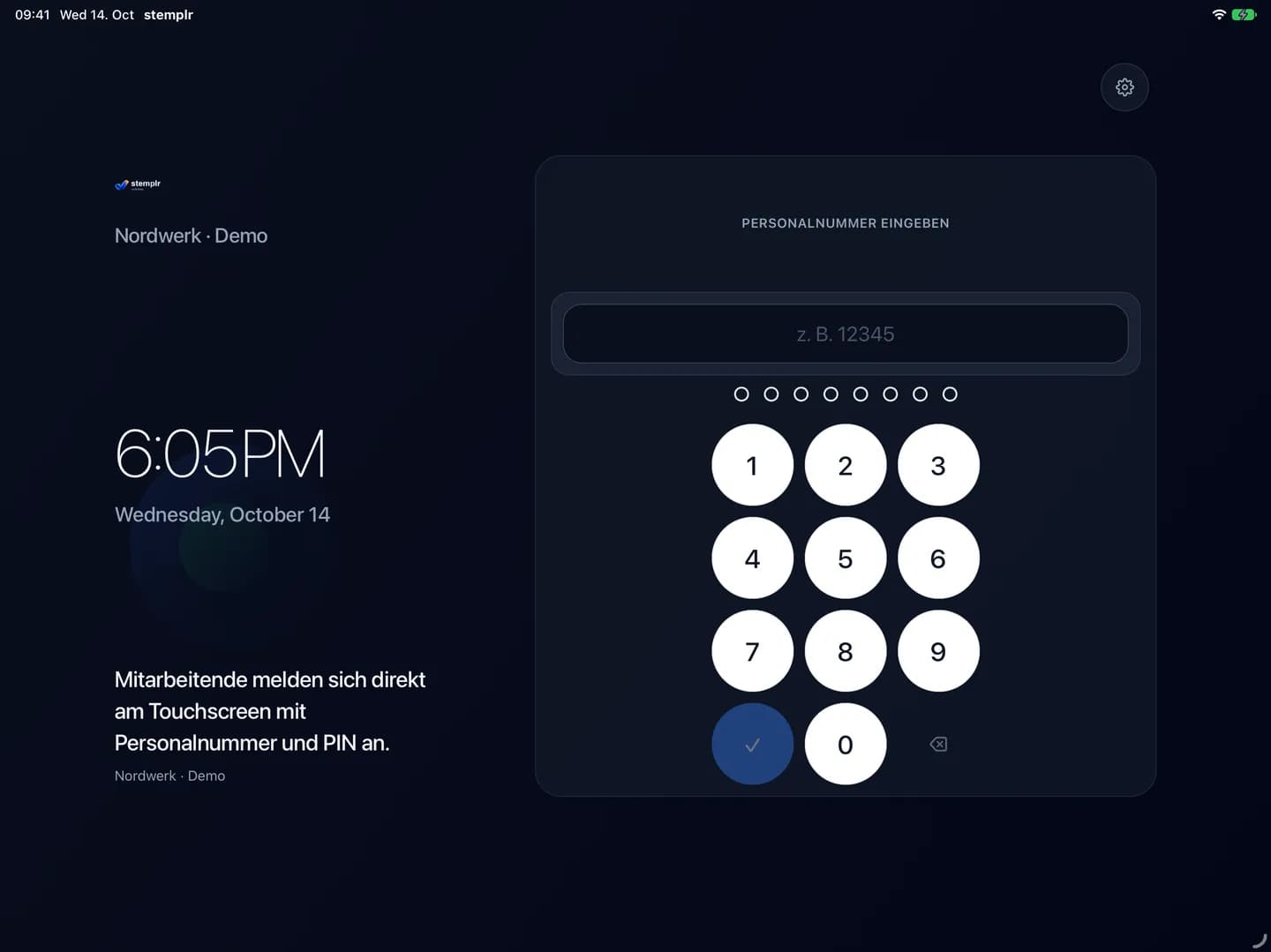
Not everyone needs their own device. Employees sign in at the shared stemplr kiosk with their employee number and PIN, whether in the workshop, office or on site.
- Individual sign-in
- Employee number and PIN connect each entry to the right person.
- Shared access
- One shared point of access for teams starting their working day at the same location.
- Clear starting point
- A focused interface keeps sign-in and the next step easy to find.
Travel & expenses
Keep the whole assignment together.
The working day involves more than hours. stemplr adds a mileage log and expenses to time tracking and planning, keeping the information around each assignment together.
- Document journeys
- Record business journeys in the mileage log alongside the rest of the assignment information.
- Record expenses
- Record receipts, daily allowances and travel costs in the app and have them approved digitally rather than collecting them at the end of the month.
- Connect the working day
- Organise time, planning, travel and expenses in one workspace.
Reporting & handover
Turn recorded hours into a useful overview.
Work does not end at clock-out. Reports, project allocation and exports help the business use recorded time, from team overviews to payroll preparation.
- Review reports
- Review working time and project context together instead of collecting individual timesheets.
- Review and approve
- Review and approve time, journeys and expenses before they reach payroll. Break rules and approvals can be configured to suit the business.
- Pass data on
- Export time reports as Excel or PDF. Dedicated DATEV and BMD formats are in preparation, according to stemplr.
AI in daily operations
One sentence becomes a draft you can review.
stemplr uses AI where it removes typing: assignments and tasks can be prepared by text or voice, and meetings become a summary you can review. Nothing is saved until someone on the team confirms it.
- Plan by voice
- Recognise time frame, project and team members from a description and ask follow-up questions about missing details. Tasks can be dictated too.
- Recap for meetings
- Record conversations or add text and audio, review the transcript and turn next steps into draft tasks. Available in Pro and Enterprise.
- Connected to AI assistants
- Through the open MCP standard, time entries, tasks and tickets can be handled in a chat with Claude and other compatible assistants – with your own login and only the permissions you grant.
Explore stemplr yourself.
Try it free for your company – no credit card required. Compare plans at your own pace during the trial.
Moving forward together
From the first idea to a running product.
We build custom software, integrate AI into existing systems and support our clients for the long term. From Austria.
Discuss your project